The Claude Code Plugin for Wasp is Here 🔌

Get Even More Out of Claude Code with the Wasp Plugin
Batteries-included frameworks are a great match for AI-assisted coding tools like Claude Code. The frameworks themselves are opinionated and already take care of a lot of routine tasks and boilerplate, which makes the AI's output more deterministic and predictable.
In effect, frameworks like Wasp take care of a lot of grunt work for you and your AI assistants, shifting the focus to the more complex and creative parts of your app.
And now with Claude Code's plugin system, which bundles skills, commands, hooks, and rules, you can tweak things so that you're getting the absolute most out of Claude Code in your projects.
But configuring, testing, and maintaining all these Claude Code features for your specific projects and tools can be a lot of work. Almost as much as just writing the code yourself (ironic, isn't it?)!
Luckily for you, the Wasp Team has created the Wasp Claude Code plugin, curated with the help of community and their own experience, that ensures you are getting the most out of Claude Code and Wasp when using them together.
Turn Claude into a Wasp Expert
Claude Code knows it can't do everything perfectly, which is why it allows for user-defined commands, skills, hooks, and rules, which act as sources of knowledge and guardrails when working in your project.
We've done the tedious work for you, and bundled a bunch of the essentials into the Claude Code plugin for Wasp.
Here's how you can try it once you've got Wasp and Claude Code installed:
- Add the Wasp x Claude Code Plugin Marketplace:
claude plugin marketplace add wasp-lang/wasp-agent-plugins
- Install the plugin:
claude plugin install wasp@wasp-agent-plugins --scope project
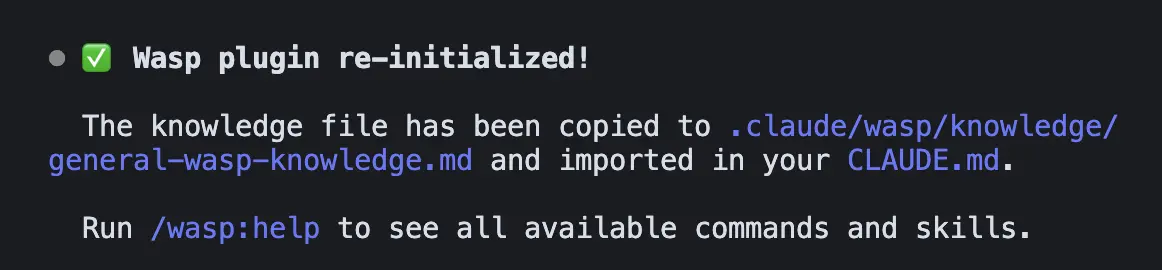
- Once installed, initialize the plugin in a Claude Code session and follow the instructions:
/wasp:init
With the plugin installed, Claude turns into a true Wasp expert by:
- Using the right documentation — Automatically fetches the correct Wasp docs for your project's version during development and debugging
- Avoiding common mistakes — Provides Wasp-specific tips, patterns, and best practices so Claude doesn't hallucinate or use outdated approaches
- Guided workflows — Skills and commands so Claude can walk you through setting up Wasp's batteries-included features: auth, email, database, deploying, etc.
- Full debugging visibility — Start managed databases, dev servers, and connect browser console access so Claude has full development and debugging visibility across the entire stack
The result: Claude actually understands Wasp instead of guessing and can get the most out of Wasp features to help you spend less time managing boilerplate or debugging errors, and more time building and shipping app features.
Give Claude the Wheel, Or Let it Be Your Backseat Driver
One of the most important features of the plugin is that it gives Claude everything it needs to get your Wasp app setup and running locally, with full visibility into what's going on with your app.
For example, Claude can use the Plugin's skills to easily setup, run and monitor Wasp's:
- managed Postgres DB server,
- local development servers, and
- a Chrome instance
By leveraging these Wasp features, you give Claude instant access to logs across the entire stack and can drastically reduce development and debugging feedback loops.
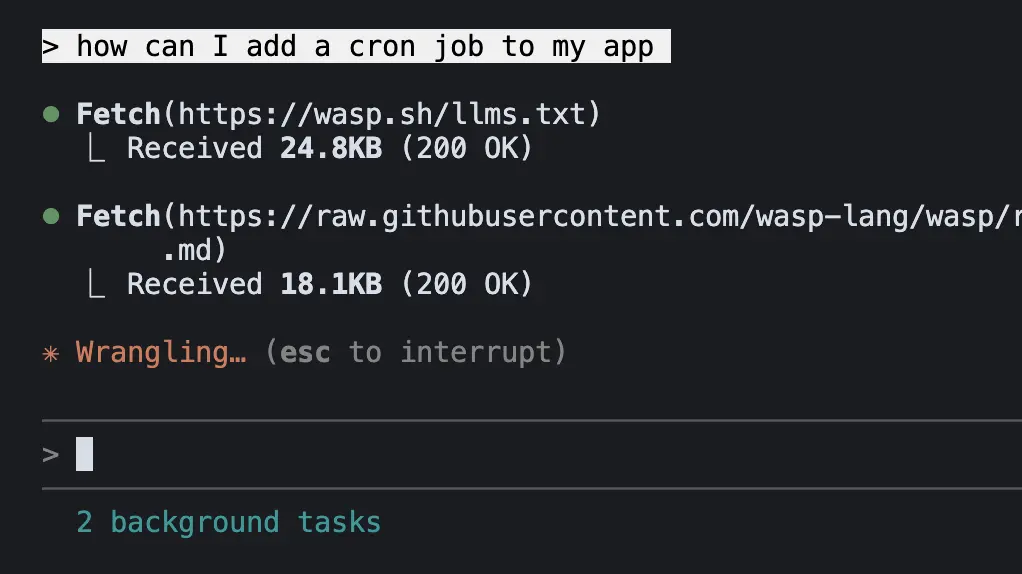
On top of that, we've added hooks to ensure Claude checks your project's Wasp version and always pulls the correct LLM-friendly docs before performing important Wasp-related tasks.
Here are some examples of things you can ask Claude to help with:
- "Add
Google authenticationto my app" - "Migrate the database from
SQLitetoPostgreSQLand start it for me" - "Deploy my app to
Railwayfor me" - "Help me add
ShadCN UIto my app to build a dashboard" - "Start a new SaaS app using
Wasp's SaaS starter template" - "Why isn't my
recurring jobworking?"
With the Wasp plugin, Claude Code will know exactly how to take care of these tasks in your Wasp app, and can take full control of implementation, or guide you through the process.
We've also loaded the plugin with straight-forward slash commands, such as /wasp:help so that you can always quickly reference what the plugin can do.
What's Next
The focus for the first iteration of the plugin was to give Claude good fundamentals Wasp knowledge.
For the future, we'll expand it with better guardrails and more skills and workflows to really speed up development. We'll also be adding a separate plugin for Open SaaS, our open-source SaaS starter built on Wasp, to get you shipping SaaS apps easier and quicker.
And if you have any feedback or ideas on how to improve the plugin, let us know.