> Fetch the complete documentation index at: https://wasp.sh/llms.txt
---
# 3. Pages & Routes
In the default `main.wasp.ts` file created by `wasp new`, there is a **page** and a **route** spec:
```ts title="main.wasp.ts"
import { app, page, route } from "@wasp.sh/spec"
import { MainPage } from "./src/MainPage" with { type: "ref" }
export default app({
// ...
spec: [
// We specify that the React implementation of the page is exported from
// `src/MainPage.tsx`. Reference imports must point to files inside `src`.
route("RootRoute", "/", page(MainPage)),
],
})
```
Together, these specifications tell Wasp that when a user navigates to `/`, it should render the `MainPage` component from `src/MainPage.tsx`.
## The MainPage Component
Let's take a look at the React component referenced by the page spec:
```tsx title="src/MainPage.tsx"
import Logo from "./assets/wasp-logo-rounded.svg";
import "./Main.css";
export function MainPage() {
// ...
}
```
This is a regular functional React component. It also imports some CSS and a logo from the `assets` folder.
That is all the code you need! Wasp takes care of everything else necessary to define, build, and run the web app.
:::tip[Keep Wasp start running]
`wasp start` automatically picks up the changes you make, regenerates the code, and restarts the app. So keep it running in the background.
It also improves your experience by tracking the working directory and ensuring the generated code/types are up to date with your changes.
:::
:::caution[LSP Problems]
If you are using TypeScript, your editor may sometimes report type and import errors even while `wasp start` is running.
This happens when the TypeScript Language Server gets out of sync with the current code. If you're using VS Code, you can manually restart the language server by opening the command palette and selecting *"TypeScript: Restart TS Server."* Open the command pallete with:
- `Ctrl` + `Shift` + `P` if you're on Windows or Linux.
- `Cmd` + `Shift` + `P` if you're on a Mac.
:::
## Adding a Second Page
To add more pages, you can add another route to your spec. You can even add parameters to the URL path, using [dynamic segments](https://wasp.sh/docs/advanced/routing#dynamic-segments). Let's test this out by adding a new page:
```ts title="main.wasp.ts"
import { app, page, route } from "@wasp.sh/spec"
import { HelloPage } from "./src/HelloPage" with { type: "ref" }
export default app({
// ...
spec: [
route("HelloRoute", "/hello/:name", page(HelloPage)),
],
})
```
When a user visits `/hello/their-name`, Wasp renders the component exported from `src/HelloPage.tsx` and you can use the `useParams` hook from `react-router` to access the `name` parameter:
```tsx title="src/HelloPage.tsx"
import { useParams } from "react-router";
export const HelloPage = () => {
const { name } = useParams<"name">();
return
Here's {name}!
;
};
```
Now you can visit `/hello/johnny` and see "Here's johnny!"
:::tip[Type-safe links]
Since you are using Typescript, you can benefit from using Wasp's type-safe `Link` component and the `routes` object. Check out the [type-safe links docs](https://wasp.sh/docs/advanced/links) for more details.
:::
## Cleaning Up
Now that you've seen how Wasp deals with Routes and Pages, it's finally time to build the Todo app.
Start by cleaning up the starter project and removing unnecessary code and files.
First, remove most of the code from the `MainPage` component:
```tsx title="src/MainPage.tsx"
export const MainPage = () => {
return
Hello world!
;
};
```
At this point, the main page should look like this:
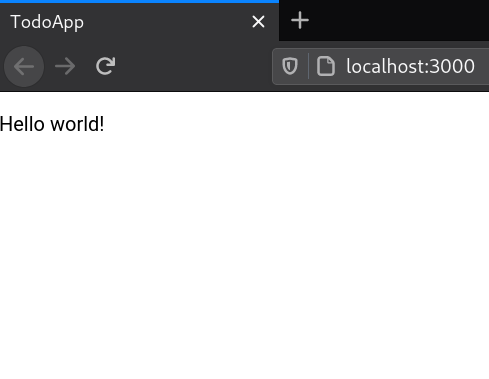
You can now delete redundant files: `src/Main.css`, `src/assets/wasp-logo-rounded.svg`, and `src/HelloPage.tsx` (we won't need this page for the rest of the tutorial).
Since `src/HelloPage.tsx` no longer exists, remove its route from the `main.wasp.ts` file.
Your Wasp file should now look like this:
```ts title="main.wasp.ts"
import { app, page, route } from "@wasp.sh/spec"
import { MainPage } from "./src/MainPage" with { type: "ref" }
export default app({
name: "TodoApp",
wasp: { version: "^0.25" },
title: "TodoApp",
head: [""],
spec: [
route("RootRoute", "/", page(MainPage)),
],
})
```
Excellent work!
You now have a basic understanding of Wasp and are ready to start building your TodoApp. We'll implement the app's core features in the following sections.